




Description
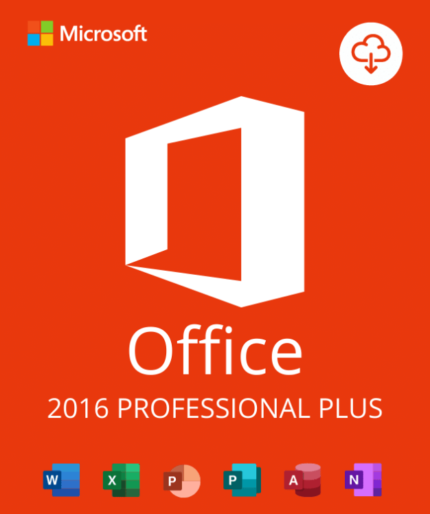
Office 2016 Professional Plus – Genuine Lifetime License | The Complete Classic Office Suite
Every Microsoft Office application. One permanent license. The most affordable entry point to the complete Office professional suite.
Microsoft Office 2016 Professional Plus is the complete standalone edition of Microsoft’s classic productivity suite — delivering all eight professional Office applications including Word, Excel, PowerPoint, Outlook, OneNote, Access, Publisher, and Skype for Business in a single, permanent license at the most accessible price point in the Professional Plus lineup.
For users with legacy hardware, stable workflows, or budget constraints who need the full Office suite — including Access and Publisher — Office 2016 Professional Plus delivers everything at an unbeatable price.
At OfficeLicense.shop, your genuine license key is delivered instantly to your inbox, activated directly through Microsoft’s official servers. One payment. Complete suite. Lifetime access.
→ Get Your Office 2016 Professional Plus License Now
⚠️ Important: Office 2016 End of Support — October 14, 2025
We believe in complete transparency. Microsoft Office 2016 (all editions) reached End of Extended Support on October 14, 2025 — on the same date as Office 2019.
What continues after October 14, 2025:
- All eight Office apps continue to work normally on your PC
- Your license key activates without issue — Microsoft’s activation servers remain online
- Your files remain fully accessible, editable, and shareable
- Your license remains permanently valid — it never expires
What ended after October 14, 2025:
- No more security patches or bug fixes from Microsoft
- No Microsoft technical support for Office 2016
- Gradual reduction in compatibility with Microsoft 365 online collaboration features
- Microsoft 365 apps (online services) no longer officially support Office 2016 clients
Who should still buy Office 2016 Professional Plus:
- Users with older hardware that cannot efficiently run Office 2019 or 2021
- Organizations maintaining legacy Office 2016 environments needing additional licenses
- Budget-conscious buyers who need the full Office suite — including Access and Publisher — at the lowest possible price
- Offline or air-gapped environments where security update dependency is minimal
- IT professionals needing Office 2016 licenses for compatibility testing or deployment documentation
Who should strongly consider upgrading: Office 2016 and Office 2019 share the same end-of-support date (October 2025), meaning you get the same support status but more features with Office 2019. For only slightly more, Office 2019 Professional Plus gives you Morph transitions in PowerPoint, new Excel functions (IFS, MAXIFS, Funnel charts, Map charts), and a more modern interface.
- For more features at similar price → Office 2019 Professional Plus →
- For longer support (until October 2026) → Office 2021 Professional Plus →
- For longest support (until October 2029) → Office 2024 Professional Plus →
What Is Office 2016 Professional Plus?
Microsoft Office 2016 Professional Plus is the top-tier standalone edition of Microsoft Office 2016 — released on September 22, 2015 as the successor to Office 2013. It is the LTSC (volume licensing channel) version of Office 2016 — the same software deployed in enterprise environments worldwide, activated via a retail license key.
Like Office 2019 Professional Plus, it includes the complete eight-application suite — and is the only Office 2016 edition that includes Access and Publisher. It is Windows-only and not compatible with macOS.
Product Details
| Brand | Microsoft |
| Product | Office Professional Plus 2016 (LTSC) |
| Apps included | Word, Excel, PowerPoint, Outlook, OneNote, Access, Publisher, Skype for Business |
| License type | Lifetime (one-time purchase) |
| Devices covered | 1 PC |
| Use rights | ✅ Personal AND commercial use |
| Format | Digital product key – instant email delivery |
| Platform | Windows 7 SP1 / Windows 8.1 / Windows 10 / Windows 11 |
| macOS | ❌ Not compatible |
| Language | Multilingual |
| Internet required | For activation only — runs fully offline after |
| Subscription | None — no recurring fees |
| End of Support | October 14, 2025 |
Key Advantage: Broader Windows Compatibility
One of Office 2016 Professional Plus’s most significant practical advantages over newer Office versions is its wider Windows compatibility:
| Office Version | Windows 7 | Windows 8.1 | Windows 10 | Windows 11 |
|---|---|---|---|---|
| Office 2016 Pro Plus | ✅ | ✅ | ✅ | ✅ |
| Office 2019 Pro Plus | ❌ | ❌ | ✅ | ✅ |
| Office 2021 Pro Plus | ❌ | ❌ | ✅ | ✅ |
Office 2016 Professional Plus is the only modern Office edition that runs on Windows 7 SP1 and Windows 8.1. For organizations with legacy PCs running these older OS versions, Office 2016 Pro Plus is the correct and only supported Office choice.
What’s Included: All Eight Professional Applications
Word 2016 — Professional Document Creation
Microsoft Word 2016 delivers a refined, productivity-focused document creation experience:
- Real-time co-authoring — first introduced in Word 2016, allowing multiple users to edit the same document simultaneously via OneDrive or SharePoint
- Smart Lookup — instant research panel powered by Bing, surfacing definitions, Wikipedia entries, and web results alongside your document without leaving Word
- Tell Me — intelligent command search bar. Type what you want to do (“insert table”, “change font color”) and Word finds the right tool instantly — no more searching through ribbons
- Ink Equations — write mathematical equations by hand with a stylus or mouse and Word converts them to typed format automatically
- Improved version history — one-click access to all previous saved versions via OneDrive
- Complete formatting toolkit: styles, tables, SmartArt, charts, mail merge, and templates
Excel 2016 — Data Analysis & Visualization
Excel 2016 introduced several powerful new features over Excel 2013 — particularly in data visualization and business intelligence:
New features in Excel 2016:
- 6 new chart types:
- Waterfall charts — visualize cumulative impact of sequential positive and negative values — ideal for financial analysis, profit/loss breakdowns, and budget variance reports
- Histogram charts — frequency distribution visualization for statistical analysis
- Pareto charts — combined bar and line chart for quality control and root cause analysis (80/20 rule visualization)
- Box and Whisker charts — statistical distribution and outlier visualization
- Treemap charts — hierarchical data visualization using nested rectangles sized by value
- Sunburst charts — hierarchical data displayed as concentric rings — ideal for multi-level category breakdowns
- Forecasting functions — FORECAST.ETS and related functions for time-series forecasting with seasonality detection
- 3D Maps (Power Map) — geographic and temporal data visualization in 3D directly in Excel
- Power Query integration — advanced data import, transformation, and connection management (Get & Transform Data)
- Tell Me — intelligent command search
- One-click forecasting — automatic time-series forecasting from historical data
PowerPoint 2016 — Professional Presentations
PowerPoint 2016 delivers a streamlined, professional presentation creation experience:
- Tell Me — find any PowerPoint command instantly by typing what you want to do
- Smart Lookup — research facts and add them to slides without leaving PowerPoint
- Improved Presenter View — enhanced dual-screen presentation mode with zoom, blackout, and laser pointer tools
- Screen Recording — record your screen directly in PowerPoint to embed tutorials and demonstrations in presentations
- Ink support — annotate slides with a stylus during presentations, with ink replay capability
- Improved Designer — layout suggestions for cleaner slide designs
- All standard transitions, animations, themes, SmartArt, and media tools
Note: The Morph transition — PowerPoint 2016’s most-requested feature — was introduced in Office 2019, not Office 2016. If Morph is important to your workflow, upgrading to Office 2019 or later is recommended.
Outlook 2016 — Professional Email & Calendar
Outlook 2016 is a complete professional email, calendar, contacts, and task management application:
Email:
- Clutter (inbox management) — moves lower-priority email out of your inbox automatically based on your reading patterns
- Improved Focused Inbox — predecessor to Office 2019’s Focused Inbox
- @mentions — tag colleagues in email body text
- Full support for Exchange, Microsoft 365, Gmail, IMAP, and POP3
- Conversation view, categories, flags, rules, and search folders
- Mail merge with Word
Calendar:
- Full calendar with recurring events, reminders, and meeting invitations
- Shared calendars and room booking (with Exchange/Microsoft 365)
- Weather bar showing forecast for your calendar location
- Meeting RSVP management
Contacts & Tasks:
- Contact cards with social network integration (LinkedIn)
- Task management with due dates, priorities, and categories
- Full offline capability — emails, calendar, and contacts cached locally
Access 2016 — Desktop Database (Pro Plus Exclusive)
Access 2016 is exclusively available in Office Professional Plus — not in any other Office 2016 edition, and not in any Microsoft 365 plan.
- Create relational databases with multiple linked tables
- Design custom data entry forms with validation rules
- Build queries to filter, sort, and combine data from multiple tables
- Generate detailed reports with grouping, totals, and calculated fields
- Connect to external data: SQL Server, SharePoint, ODBC sources
- Automate workflows with macros and VBA
- New in Access 2016: improved templates for common database types (asset tracking, contacts, events, students), new large number data type support
Publisher 2016 — Desktop Publishing (Pro Plus Exclusive)
Publisher 2016 is exclusively available in Office Professional Plus — the only Office edition that includes it.
- Professional page layout for marketing materials, newsletters, and branded documents
- Built-in template library for flyers, brochures, business cards, and more
- Mail merge for personalized mass communications
- PDF export for print and digital distribution
- Advanced typography and color management
OneNote 2016 — Digital Notebooks
- Notebooks → Sections → Pages organization
- Insert text, images, audio, files, and handwritten ink
- Full-text OCR search across all content
- Real-time sync via OneDrive
- Available on Windows, Mac, iOS, Android, and web
Skype for Business 2016 — Enterprise Communication
- Instant messaging with presence indicators
- HD voice and video calls
- Screen sharing and remote control
- Meeting hosting for up to 250 participants
- Integration with Outlook calendar and Active Directory
Office 2016 Professional Plus vs. Office 2019 Professional Plus: Should You Upgrade?
This is the most important decision for buyers comparing these two versions. Here is the honest answer:
| Feature | Office 2016 Pro Plus | Office 2019 Pro Plus |
|---|---|---|
| Apps included | Same 8 apps | Same 8 apps |
| Windows 7 support | ✅ | ❌ |
| Windows 8.1 support | ✅ | ❌ |
| End of Support | October 2025 (same) | October 2025 (same) |
| Morph transition (PPT) | ❌ | ✅ |
| IFS / MAXIFS / MINIFS | ❌ | ✅ |
| Funnel & Map charts | ❌ | ✅ |
| Waterfall / Histogram charts | ✅ | ✅ |
| Focused Inbox (Outlook) | Basic | ✅ Improved |
| Price | Lower | Slightly higher |
| Best for | Windows 7/8.1 hardware, lowest price | Modern hardware, more features, same price point |
Key insight: Office 2016 and Office 2019 share the exact same end-of-support date — October 14, 2025. This means the only practical reasons to choose Office 2016 over 2019 are:
- You need Windows 7 or Windows 8.1 compatibility — Office 2019 doesn’t run on these
- Budget is the absolute priority — Office 2016 typically costs less
If neither of these applies to you, Office 2019 Professional Plus is the better value — more features, same support status, slightly higher price.
Office 2016 Professional Plus vs. All Other Office 2016 Editions
| Feature | Home & Student 2016 | Home & Business 2016 | Professional Plus 2016 |
|---|---|---|---|
| Word | ✅ | ✅ | ✅ |
| Excel | ✅ | ✅ | ✅ |
| PowerPoint | ✅ | ✅ | ✅ |
| OneNote | ✅ | ✅ | ✅ |
| Outlook | ❌ | ✅ | ✅ |
| Access | ❌ | ❌ | ✅ |
| Publisher | ❌ | ❌ | ✅ |
| Skype for Business | ❌ | ❌ | ✅ |
| Commercial use | ❌ | ✅ | ✅ |
| macOS | ✅ | ✅ | ❌ Windows only |
System Requirements
| Requirement | Specification |
|---|---|
| Operating System | Windows 7 SP1 / Windows 8.1 / Windows 10 / Windows 11 |
| Processor | 1 GHz or faster, x86 or x64 |
| RAM | 1 GB (32-bit) / 2 GB (64-bit) |
| Storage | 3 GB available disk space |
| Display | 1024 × 768 minimum |
| Graphics | DirectX 10 compatible |
| Internet | Required for activation only |
| macOS | ❌ Not compatible |
Windows 7 users: Office 2016 Professional Plus is one of the few modern Office versions that officially supports Windows 7 SP1. However, Windows 7 itself reached end of support in January 2020 — running Windows 7 on an internet-connected machine carries significant security risk regardless of Office version.
64-bit recommendation: For most users, the 64-bit version of Office 2016 Pro Plus is recommended for better performance with large Excel files and Access databases.
How to Activate Your Office 2016 Professional Plus License
Step 1 — Purchase & receive your key Complete your order at OfficeLicense.shop. Your 25-character product key arrives in your inbox within minutes.
Step 2 — Go to setup.office.com Visit Microsoft’s official setup portal. Sign in with or create a free Microsoft account.
Step 3 — Enter your product key Type your 25-character key. Microsoft verifies it and links it to your account.
Step 4 — Download & install Select your language and bit version, download the installer, and run it. All eight apps install simultaneously in approximately 10–15 minutes.
Step 5 — Activate Open any Office app and sign in with your Microsoft account when prompted. Activation completes automatically online.
Phone activation: Available for machines without internet access — use Windows’ built-in phone activation path during Office setup.
Need help? Our support team is available to guide you through installation and activation at no extra charge.
Why Buy Your Office 2016 Professional Plus License from OfficeLicense.shop?
✓ 100% genuine Microsoft license — activates through Microsoft’s official setup.office.com portal.
✓ The only Office edition with Access AND Publisher for Windows 7/8.1 — if you need legacy OS + full suite, this is your only option.
✓ Broadest Windows compatibility — runs on Windows 7 SP1, Windows 8.1, Windows 10, and Windows 11.
✓ Full commercial use rights — use for business and professional purposes without restriction.
✓ Instant digital delivery — your product key in your inbox within minutes of purchase.
✓ Lowest price for the complete Office suite — the most affordable way to own all eight Microsoft Office applications permanently.
✓ Lifetime validity — no subscription, no renewal. Pay once, use permanently.
✓ Full transparency about EOL and limitations — every important detail disclosed upfront.
✓ Real human support — our team helps you activate and stays with you until everything works.
Frequently Asked Questions
What is Office 2016 Professional Plus?
Microsoft Office 2016 Professional Plus is the most complete standalone edition of Microsoft Office 2016 — including all eight applications: Word, Excel, PowerPoint, Outlook, OneNote, Access, Publisher, and Skype for Business. It is a one-time purchase with lifetime validity on one Windows PC, with full commercial use rights. It is the only Office 2016 edition that includes both Access and Publisher.
What is the difference between Office 2016 Professional Plus and Office 2019 Professional Plus?
Both editions include the same eight applications and share the same end-of-support date (October 14, 2025). Office 2019 adds Morph transition in PowerPoint, new Excel functions (IFS, MAXIFS, MINIFS, CONCAT, TEXTJOIN), Funnel and Map chart types, improved Focused Inbox in Outlook, and requires Windows 10 or later. Office 2016 additionally supports Windows 7 SP1 and Windows 8.1. If your hardware runs Windows 10 or 11, Office 2019 Pro Plus offers more features at a marginally higher price.
Does Office 2016 Professional Plus run on Windows 7?
Yes. Office 2016 Professional Plus officially supports Windows 7 SP1 with Service Pack 1 — making it the most modern Office edition compatible with Windows 7. Note that Windows 7 itself reached end of support in January 2020, and running it on an internet-connected PC carries significant security risks regardless of Office version.
Does Office 2016 Professional Plus work on Windows 11?
Yes. Office 2016 Professional Plus is compatible with Windows 10 and Windows 11. Microsoft officially supports running Office 2016 on Windows 11 through its support lifecycle.
Does Office 2016 Professional Plus work on Mac?
No. Office 2016 Professional Plus is Windows-only and is not compatible with macOS. Access and Publisher — the two applications exclusive to Professional Plus — have never been available on macOS. For Mac users who need Word, Excel, PowerPoint, Outlook, and OneNote, see our Mac-compatible Office editions.
Is Access 2016 included in Microsoft 365?
No. Microsoft Access is not included in any Microsoft 365 subscription plan except Microsoft 365 Apps for Enterprise. For most buyers, Office 2016 Professional Plus (or a newer Pro Plus version) is the only practical way to own a licensed copy of Access on a standalone basis.
Can I still activate Office 2016 Professional Plus in 2025?
Yes. Microsoft’s activation servers for Office 2016 remain online. A genuine Office 2016 Professional Plus product key activates normally — end of support means no more security patches, not that the software or its activation stops functioning.
What is the difference between Office 2016 Professional Plus and Office 2016 Professional?
Office 2016 Professional (retail boxed version) includes Word, Excel, PowerPoint, Outlook, OneNote, Access, and Publisher — seven apps. Office 2016 Professional Plus (LTSC/volume licensing version) adds Skype for Business as the eighth application. Professional Plus also uses the LTSC activation channel, the same used in enterprise deployments.
The Complete Classic Office Suite — Maximum Compatibility, Minimum Price
Microsoft Office 2016 Professional Plus delivers all eight Microsoft Office applications — including the Access and Publisher exclusives — with the broadest Windows compatibility of any modern Office version, at the most affordable price in the Professional Plus lineup.
For legacy hardware, Windows 7/8.1 environments, or anyone who needs the complete Office suite at the lowest possible price — Office 2016 Professional Plus is the practical, permanent solution.
Complete suite. Genuine license. Instant delivery. Widest Windows compatibility. Real support.
→ Buy Office 2016 Professional Plus at OfficeLicense.shop
Questions about your license, which Office version suits your hardware, or the activation process? Chat with us directly on WhatsApp — we’re here to help. Plus, enjoy an exclusive 30% off all products when you order through WhatsApp!
What will I receive if i purchase Office 2016 Professional Plus 32/64-bit?
The product is delivered within seconds directly via email, thus avoiding the environmental impact of shipping physical goods.
- – 1 Activation Code for Microsoft Office 2016 Professional Plus 32/64-bit valid for use in 1 PC- (Product Key)
- – Download link for Office 2016 32/64-bit (ISO File)
- – Quick and easy installation guide
- – Free technical support
Are you a reseller?
If you’re a reseller, mail us at Support@officelicense.shop and we’ll send you a tailor-made price list. Let’s work together!
Find more Products in officelicense.shop
Windows Operating Systems: Windows 11 – Windows 10 – Windows 8
Microsoft Office Suites: Office 2021 – Office 2019 – Office 2016 – Office for Mac
Antivirus: Kaspersky – ESET – Avast – AVG




Zane (verified owner) –
Very fast delivery.
Charles (verified owner) –
Competitive Pricing – Immediate delivery of software. Recommended
William (verified owner) –
Good service.
Nolan (verified owner) –
Excellent. Cheap price, Fast Delivery. Authentic!
Tyler (verified owner) –
Prices are great, Instructions to install all were easy to follow
Aleksandar (verified owner) –
It was a painless and easy process, and I will definitely use them again.
Samuel (verified owner) –
Competitive Pricing – Immediate delivery of software. Recommended
Patrick (verified owner) –
Very fast delivery.
Samuel (verified owner) –
Very fast delivery.
Ryder (verified owner) –
Competitive Pricing – Immediate delivery of software. Recommended
Robert (verified owner) –
Very well worth the money.
Michael (verified owner) –
Fantastically good value, code for software delivered immediately.