





Description
Microsoft Office 2021 License for Mac – Genuine, Instant & Affordable
The complete Microsoft Office suite, built and optimized for Mac. One payment. Lifetime access. No subscription required.
A genuine Microsoft Office 2021 license for Mac gives you permanent access to the apps that power professional productivity worldwide — Word, Excel, PowerPoint, Outlook, and OneNote — in a version specifically designed and optimized for macOS, Apple Silicon (M1/M2/M3/M4), and Retina displays.
At OfficeLicense.shop, your Office 2021 Mac license key is delivered instantly to your inbox, activated directly through Microsoft’s official servers. No subscription trap. No recurring fees. Just Office — yours permanently.
→ Get Your Microsoft Office 2021 License for Mac Now
⚠️ Important: Office 2021 for Mac End of Mainstream Support — October 2026
Before purchasing, here is information you need to make a fully informed decision:
Microsoft Office 2021 for Mac (Home & Student and Home & Business editions) reaches End of Mainstream Support in October 2026. This is important but not the same as end of functionality.
What continues after October 2026:
- Office 2021 for Mac continues to run normally on your Mac
- All apps — Word, Excel, PowerPoint, Outlook, OneNote — continue to work
- Your license key activates without issue — Microsoft’s activation servers remain online
- Files you’ve created remain fully accessible and editable
What ends after October 2026:
- No more feature updates from Microsoft for Office 2021 Mac
- Security patches and bug fixes may become limited or stop
- Microsoft technical support for Office 2021 Mac ends
- Compatibility with future macOS versions is not guaranteed beyond current support
Who should still buy Office 2021 for Mac:
- Mac users who want a permanent, one-time purchase without subscription fees
- Users whose workflow is stable and doesn’t require the very latest feature additions
- Users looking for maximum value at the lowest price for a genuine Office license for Mac
- Those who don’t need Access or Publisher (Windows-only apps) and are satisfied with the Mac app lineup
Who should consider Office 2024 for Mac instead: If you want the longest possible support lifecycle and the newest features (new Excel functions, updated interfaces, AI tools), Office 2024 for Mac offers support through October 2029. We carry it here:
We give you the full picture so you make the right choice.
What Is Microsoft Office 2021 for Mac?
Microsoft Office 2021 for Mac is the standalone, perpetual edition of Microsoft Office released on October 5, 2021 — the same day as Office 2021 for Windows. It is the Mac-native version of Microsoft’s productivity suite, designed from the ground up to run natively on Apple hardware, including full Apple Silicon (M1/M2/M3/M4) native support for maximum performance on modern Macs.
Unlike Microsoft 365 (the subscription version), Office 2021 for Mac is a one-time purchase — you pay once and the software is yours permanently, with no monthly fees, no auto-renewals, and no internet connection required after activation.
Office 2021 for Mac: Available Editions
Microsoft offers Office 2021 for Mac in two editions. Here’s what each includes:
| Office Home & Student 2021 Mac | Office Home & Business 2021 Mac | |
|---|---|---|
| Word 2021 | ✅ | ✅ |
| Excel 2021 | ✅ | ✅ |
| PowerPoint 2021 | ✅ | ✅ |
| OneNote 2021 | ✅ | ✅ |
| Outlook 2021 | ❌ | ✅ |
| Microsoft Teams | ❌ | ✅ |
| Commercial use rights | ❌ Home/personal only | ✅ Business use permitted |
| License type | Lifetime, 1 Mac | Lifetime, 1 Mac |
| Best for | Students, home users | Professionals, freelancers, SMBs |
Note: Office 2021 for Mac does NOT include Access or Publisher — these are Windows-only applications and have never been available on macOS. If you need Access or Publisher, you need a Windows PC with Office for Windows.
OfficeLicense.shop carries both editions. Contact our support team or order directly to confirm which edition is right for your needs.
Product Details
| Brand | Microsoft |
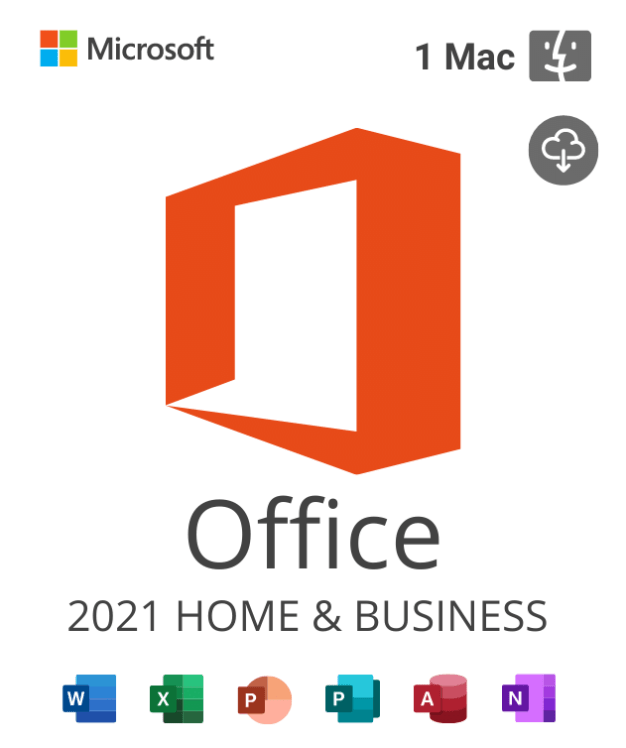
| Product | Office Home & Business 2021 for Mac |
| License type | Lifetime (one-time purchase) |
| Devices covered | 1 Mac |
| Format | Digital product key – instant email delivery |
| Platform | macOS only (not compatible with Windows) |
| Apple Silicon | ✅ Native support (M1, M2, M3, M4) |
| Internet required | For activation only — runs fully offline after |
| Subscription | None — no recurring fees |
| End of Mainstream Support | October 2026 |
What’s Included: Full Feature Breakdown
Word 2021 for Mac
Microsoft Word 2021 for Mac is the world’s most widely used word processor — rebuilt for macOS with native Apple Silicon performance and a refined Mac interface.
Key features in Word 2021 for Mac:
- Collaboration tools — Co-author documents in real time with other Office 2021 or Microsoft 365 users via OneDrive (internet connection required for co-authoring)
- Immersive Reader — Enhanced reading mode with text spacing, syllable display, and read-aloud functionality for accessibility and focus
- Dictation — Voice-to-text dictation directly in documents using your Mac’s microphone
- Smart Lookup — Instant research panel powered by Bing, surfacing definitions, Wikipedia entries, and web results alongside your document
- Improved Find & Replace — More powerful search with formatting and style options
- Dark Mode support — Full macOS Dark Mode compatibility throughout the interface
- HEIF image support — Insert and display images in Apple’s HEIF format natively
Excel 2021 for Mac
Excel 2021 for Mac brings powerful data analysis tools — including several functions previously exclusive to Microsoft 365 subscribers — to a one-time purchase for the first time.
Key new features in Excel 2021 for Mac:
- XLOOKUP — The modern, more flexible replacement for VLOOKUP and HLOOKUP. Searches in any direction, handles errors gracefully, and eliminates many common lookup limitations
- XMATCH — Advanced matching function supporting approximate, exact, and wildcard matching with ascending/descending order support
- LET function — Assign names to formula results for cleaner, faster, more readable formulas. Eliminates repetitive calculation within formulas
- Dynamic Arrays — Formulas that automatically spill results into multiple adjacent cells. The foundation for SORT, FILTER, UNIQUE, SEQUENCE, and RANDARRAY functions
- SORT & SORTBY — Sort ranges and arrays dynamically by one or multiple columns
- FILTER function — Return filtered ranges based on defined criteria — dynamically, without manual filter controls
- UNIQUE function — Return a list of unique values from a range or array automatically
- Sheet View — Work with your own filter and sort view without affecting what other collaborators see
- Stock and Geography data types — Insert live financial data (stock prices, company details) and geographic information directly into cells
PowerPoint 2021 for Mac
PowerPoint 2021 for Mac delivers a professional presentation creation experience fully optimized for macOS, Retina displays, and Apple Silicon performance.
Key features in PowerPoint 2021 for Mac:
- Ink Replay — Replay ink strokes added during a presentation in the order they were drawn — ideal for educators and presenters who annotate slides live
- Cameo — Insert a live camera feed of yourself directly into a slide, positioned and sized exactly where you want it, for hybrid or recorded presentations
- Recording tools — Enhanced slide recording with camera and audio capture for creating presentation videos
- Morph transition — Seamlessly animate objects, text, and images between slides for cinematic, professional transitions
- Zoom feature — Create interactive, non-linear presentations that zoom into slide sections dynamically
- Improved Presenter Coach — AI-powered rehearsal tool that analyzes your pacing, filler words, and slide reading habits in real time
- Stock images and icons — Access to Microsoft’s premium creative content library for royalty-free images, icons, cutout people, stickers, and illustrations
- 3D models — Insert and animate 3D objects from the Office library or import your own
Outlook 2021 for Mac (Home & Business edition)
Outlook 2021 for Mac is a complete email, calendar, contacts, and tasks application designed for professional Mac users — now with significantly improved performance and a redesigned interface.
Key features in Outlook 2021 for Mac:
- New Mac-native interface — A completely redesigned sidebar navigation, unified search, and modernized message list make Outlook feel truly at home on macOS
- Dictation and translation — Dictate emails and translate incoming messages directly in Outlook
- Contact suggestions — Smart people suggestions based on your communication history
- Events from email — Outlook automatically detects travel, meeting, and event details in emails and offers to add them to your calendar
- Meeting RSVP with notes — Respond to meeting invitations with inline notes visible to the organizer
- Mail mentions (@mentions) — Tag specific people in emails to draw their attention to relevant content
- Smart Unsubscribe — One-click unsubscribe from mailing lists, detected automatically by Outlook
- Microsoft 365 integration — Works seamlessly with Exchange Online, Microsoft 365 Business, and Exchange Server (on-premises)
OneNote 2021 for Mac
OneNote 2021 for Mac is a free-form digital notebook for capturing notes, ideas, research, meeting minutes, and project information — fully synced across your devices via OneDrive.
Key features in OneNote 2021 for Mac:
- Organized sections and pages within notebooks for any structure you need
- Insert text, images, audio recordings, screen clippings, file attachments, and handwritten ink
- Full search across all notebooks — even inside images using OCR
- Real-time co-authoring with teammates
- Dark Mode support and macOS integration throughout
Microsoft Office 2021 for Mac vs. Microsoft 365 for Mac
This is the most important decision Mac users face when buying Office. Here’s the complete, honest comparison:
| Office 2021 for Mac (Lifetime) | Microsoft 365 Personal/Family | |
|---|---|---|
| Purchase model | One-time payment | Monthly or annual subscription |
| License expiry | Never (perpetual) | Ends when subscription lapses |
| Apps included | Word, Excel, PPT, Outlook, OneNote | Same + more cloud-connected apps |
| OneDrive storage | Not included (personal OneDrive free tier: 5 GB) | 1 TB per user |
| Feature updates | Fixed at 2021 release | Continuous — always latest version |
| New functions (Excel) | XLOOKUP, LET, Dynamic Arrays included | All 2021 features + newer additions |
| Copilot AI features | ❌ Not included | ✅ Copilot Chat included |
| Devices | 1 Mac | Up to 5 Macs/PCs + 5 tablets + 5 phones |
| Co-authoring | ✅ Via OneDrive (free tier) | ✅ Via OneDrive (1 TB included) |
| Offline use | ✅ Full — no internet required | ✅ Core features work offline |
| End of Support | October 2026 (mainstream) | Continuous — no EOL while subscribed |
| Best for | One Mac, stable workflow, no subscription | Multi-device, always-latest, Teams/cloud-heavy |
| Price at OfficeLicense.shop | One-time → | Annual → |
The bottom line: If you work primarily on one Mac, don’t need 1 TB of OneDrive, and want to pay once without ongoing fees — Office 2021 for Mac is excellent value. If you work across multiple devices, want the very latest AI and collaboration features, and are comfortable with a subscription — Microsoft 365 is the better long-term fit.
Office 2021 for Mac vs. Office 2024 for Mac
| Office 2021 for Mac | Office 2024 for Mac | |
|---|---|---|
| New Excel functions | XLOOKUP, LET, Dynamic Arrays | All 2021 functions + further additions |
| Interface | 2021 refresh | Modernized 2024 design |
| Copilot AI | ❌ | ❌ (requires Microsoft 365) |
| End of mainstream support | October 2026 | October 2029 |
| Apple Silicon | ✅ Native | ✅ Native |
| Price | Lower | Slightly higher |
| Best for | Maximum value, 2-year horizon | Longer support lifecycle, latest features |
If you plan to use Office on your Mac for 3+ years beyond 2026, Office 2024 for Mac offers a longer, more secure runway. If you want the best value right now and your workflow is stable — Office 2021 for Mac remains a strong choice.
System Requirements for Office 2021 for Mac
| Requirement | Specification |
|---|---|
| macOS | macOS Monterey (12), Ventura (13), Sonoma (14), or Sequoia (15) |
| Processor | Intel Core or Apple Silicon (M1/M2/M3/M4) — Universal Binary |
| RAM | 4 GB minimum (8 GB recommended) |
| Storage | 10 GB available disk space |
| Display | 1280 × 800 minimum resolution |
| Internet | Required for activation, optional after |
| Microsoft Account | Required for activation and OneDrive sync |
Apple Silicon compatibility: Office 2021 for Mac was released as a Universal Binary — meaning it runs natively on both Intel Macs and Apple Silicon (M1, M2, M3, M4) Macs without Rosetta translation. Performance on Apple Silicon is excellent across all apps.
macOS Sequoia (15) compatibility: Office 2021 for Mac is compatible with macOS Sequoia. Always ensure your macOS is updated to a currently supported version for best compatibility.
How to Activate Your Microsoft Office 2021 License for Mac
Getting set up on your Mac takes under 10 minutes:
Step 1 — Purchase & receive your license key Complete your order at OfficeLicense.shop. Your Office 2021 Mac product key is delivered to your inbox within minutes.
Step 2 — Go to Microsoft’s setup portal On your Mac, open a browser and go to setup.office.com. Sign in with your Microsoft account (or create one free — you’ll need it to link your license).
Step 3 — Enter your product key Enter your 25-character product key at setup.office.com. Microsoft verifies and links the license to your account.
Step 4 — Download the Office installer for Mac The setup portal will detect you’re on a Mac and provide the macOS installer. Download and run the installer package.
Step 5 — Install Office on your Mac Follow the installation prompts. The process takes approximately 5–10 minutes. All Office apps (Word, Excel, PowerPoint, Outlook, OneNote) install simultaneously.
Step 6 — Activate Open any Office app. Sign in with the Microsoft account you used in Step 3. Your license activates automatically and Office is ready to use.
Need help? Our support team is available to guide you through every step at no extra charge.
Why Buy Your Microsoft Office 2021 Mac License from OfficeLicense.shop?
✓ 100% genuine Microsoft license — activates directly through Microsoft’s official setup.office.com portal. Real license, properly activated.
✓ Mac-specific license — this is the genuine Office for Mac edition, not a Windows key being repurposed. It activates the correct macOS version of Office.
✓ Instant digital delivery — your product key reaches your inbox within minutes of purchase.
✓ Prices well below Microsoft’s official retail — the same genuine product at a fraction of the cost.
✓ Apple Silicon native — runs natively on M1, M2, M3, M4 chips. No Rosetta, no performance penalty.
✓ Fully offline after activation — no internet connection needed to use Word, Excel, PowerPoint, or Outlook day to day.
✓ Real human support — our team helps you activate and stays with you until everything works.
Frequently Asked Questions
Is Microsoft Office 2021 for Mac still worth buying in 2025?
Yes — for Mac users who want a one-time purchase without a subscription. Office 2021 for Mac includes all the core Office apps optimized for macOS and Apple Silicon, plus powerful additions to Excel (XLOOKUP, LET, Dynamic Arrays) not available in Office 2019. Mainstream support runs through October 2026, giving you a solid window of fully supported use. For users planning further ahead, Office 2024 for Mac extends support to October 2029.
What is the difference between Office 2021 Home & Student and Home & Business for Mac?
The key differences are Outlook and commercial use rights. Home & Student includes Word, Excel, PowerPoint, and OneNote — but not Outlook, and is licensed for personal (non-commercial) use only. Home & Business adds Outlook and Microsoft Teams, and grants rights to use Office for commercial business purposes. For any professional or freelance use, Home & Business is the correct edition.
Does Office 2021 for Mac work on Apple Silicon (M1, M2, M3, M4)?
Yes. Office 2021 for Mac was released as a Universal Binary, running natively on both Intel and Apple Silicon Macs. Performance on M-series chips is excellent — significantly faster than on Intel for many tasks, with no Rosetta 2 translation layer needed.
Does Office 2021 for Mac include Access or Publisher?
No. Access and Publisher are Windows-only applications and have never been available on macOS in any Office version. If you need Access or Publisher, you need a Windows machine running Office for Windows.
Can I use my Office 2021 Mac license on more than one Mac?
A standard Office 2021 for Mac license covers one Mac. If you need Office on multiple Macs, you’ll need a license for each — or consider Microsoft 365, which allows up to 5 devices per user across Mac, Windows, iOS, and Android.
What is the difference between Office 2021 for Mac and Microsoft 365 for Mac?
Office 2021 for Mac is a one-time purchase with a fixed feature set — you own it permanently. Microsoft 365 is an annual subscription that provides always-updated apps, 1 TB of OneDrive storage, and the latest features including Copilot AI. Office 2021 is ideal for users who want to pay once and have a stable, offline-capable setup. Microsoft 365 is better for users needing multi-device access, cloud storage, and continuous feature updates.
Can I install Office 2021 on a Mac running macOS Sequoia?
Yes. Office 2021 for Mac is compatible with macOS Sequoia (15). Microsoft regularly releases compatibility updates to ensure Office 2021 works correctly on new macOS versions throughout its support lifecycle.
What happens to my Office 2021 for Mac after mainstream support ends in October 2026?
After October 2026, Microsoft stops providing feature updates and may phase out security patches. Your apps continue to work on your Mac — nothing stops functioning. However, future macOS versions released after the support window may not be officially tested or guaranteed to work with Office 2021. For long-term use beyond 2026, upgrading to Office 2024 for Mac or Microsoft 365 is recommended.
The Professional Office Suite, Built for Mac — At the Price It Should Be
Microsoft Office 2021 for Mac gives you the apps that power professional work worldwide — Word, Excel, PowerPoint, Outlook, and OneNote — natively optimized for macOS and Apple Silicon, with a one-time license that never expires and no subscription to worry about.
At Microsoft’s official retail price, it’s a significant outlay. At OfficeLicense.shop, you get the same genuine lifetime Mac license at a price that makes sense — with instant delivery and real support.
Genuine Mac license. Instant delivery. Lifetime access. Real support.
→ Buy Microsoft Office 2021 License for Mac at OfficeLicense.shop
Questions about your Mac license or the activation process? Chat with us directly on WhatsApp — we’re here to help you get set up fast. Plus, enjoy an exclusive 30% off all products when you order through WhatsApp!
Are you a reseller?
If you’re a reseller, mail us at Support@officelicense.shop and we’ll send you a tailor-made price list. Let’s work together!
For the safety of your device we always recommend the installation of an Antivirus, you can choose your Antivirus by clicking here.
If you have any further inquiries please do not hesitate to contact us!
Find more Products in officelicense.shop
Windows Operating Systems: Windows 11 – Windows 10 – Windows 8
Microsoft Office Suites: Office 2021 – Office 2019 – Office 2016 – Office for Mac
Antivirus: Kaspersky – ESET – Avast – AVG




Ryan (verified owner) –
It was a painless and easy process, and I will definitely use them again.
Ryan (verified owner) –
Excellent. Cheap price, Fast Delivery. Authentic!
Dominic (verified owner) –
Very fast delivery.
Samuel (verified owner) –
very good no problem working good thanks
Ryder (verified owner) –
Prices are great, Instructions to install all were easy to follow
Loris (verified owner) –
Prices are great, Instructions to install all were easy to follow
Samuel (verified owner) –
Received within seconds and worked as promoted
Nicholas (verified owner) –
Easy even for me to install. Well done thanks
Lucas (verified owner) –
Fantastically good value, code for software delivered immediately.
Alexander (verified owner) –
Fantastically good value, code for software delivered immediately.
Kai (verified owner) –
Received within seconds and worked as promoted
Zohar (verified owner) –
Very well worth the money.