




Description
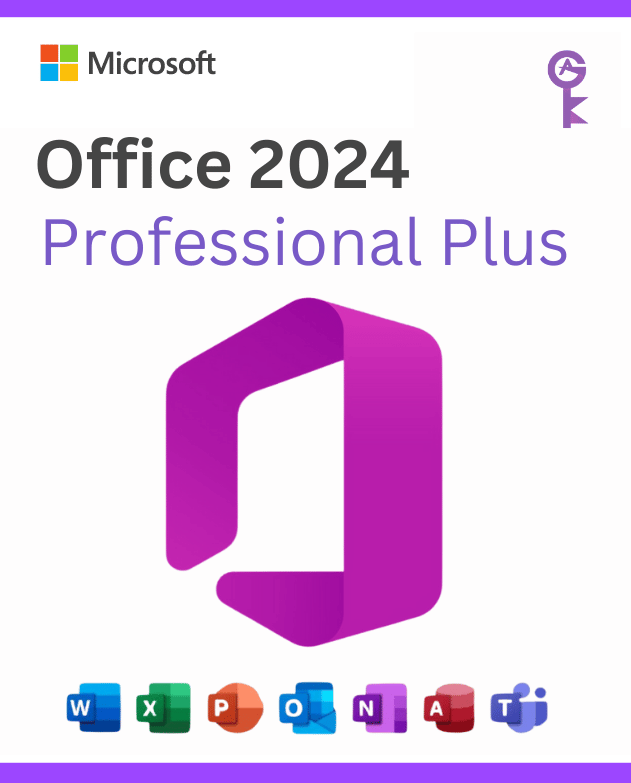
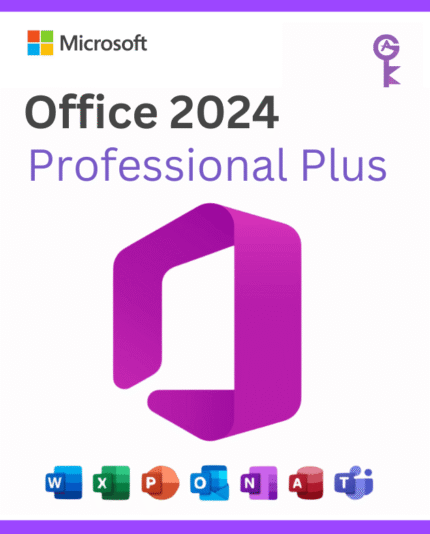
Microsoft Office 2024 Professional Plus – One-Time Purchase, Lifetime Access
The most complete version of Microsoft Office. No subscription. No recurring fees. Yours forever.
Microsoft Office 2024 Professional Plus is the latest and most comprehensive standalone edition of the world’s leading productivity suite. Whether you’re a professional, a freelancer, a student, or a small business owner, this is the version that gives you every tool Microsoft makes — without locking you into a monthly subscription.
Buy once from Officelicense shop, receive your product key instantly by email, and activate directly through Microsoft’s servers. That’s it.
→ Buy Microsoft Office 2024 Professional Plus Now
What’s Included: The Complete Office 2024 Pro Plus Suite
Microsoft Office 2024 Professional Plus includes the full lineup of Microsoft’s professional applications — every tool you need, in one package:
| Application | What It Does |
|---|---|
| Word 2024 | Advanced document creation, editing, and formatting |
| Excel 2024 | Spreadsheets, data analysis, new functions and dynamic arrays |
| PowerPoint 2024 | Professional presentations with updated design tools |
| Outlook 2024 | Email, calendar, contacts, and task management |
| OneNote 2024 | Digital notebooks for notes, research, and collaboration |
| Access 2024 | Local database creation and management (Windows only) |
| Publisher 2024 | Desktop publishing for layouts, flyers, and marketing materials |
| Teams | Integrated communication and collaboration hub |
Office 2024 Professional Plus vs Home & Student: The Home & Student edition only includes Word, Excel, PowerPoint, and OneNote. Professional Plus gives you the full suite including Outlook, Access, Publisher, and Teams — essential for business use.
Product Details
| Brand | Microsoft |
| Product | Office 2024 Professional Plus (LTSC) |
| License type | Lifetime – one-time purchase |
| Devices covered | 1 PC |
| Format | Digital product key – instant email delivery |
| Platform | Windows 10 / Windows 11 only |
| Language | Multilingual (change language after installation) |
| Internet required | For installation & activation only — works offline after |
| Subscription | None — no recurring fees |
What’s New in Microsoft Office 2024 Professional Plus?
Office 2024 isn’t just a minor update. Microsoft has introduced meaningful improvements across every application in the suite:
Refreshed, Modern Interface
Every app in Office 2024 features a visual redesign aligned with Windows 11’s design language. The interface is cleaner, more consistent across applications, and easier to navigate — with a customizable ribbon and improved dark mode support.
New Excel Functions & Dynamic Arrays
Excel 2024 introduces powerful new functions that were previously only available in Microsoft 365 subscribers:
- XLOOKUP — a smarter, more flexible replacement for VLOOKUP
- XMATCH — advanced matching with support for multiple criteria
- LET — assign names to calculations within formulas, reducing repetition
- Dynamic Arrays — formulas that automatically spill results into multiple cells
These additions make Excel 2024 significantly more powerful for data analysis, financial modeling, and reporting.
Improved Collaboration with Modern Comments
Word and PowerPoint now feature a unified, modern commenting experience. Comments are threaded, easier to resolve, and consistent across both applications — making document review and team feedback much cleaner.
Better Performance Across the Board
Office 2024 is optimized to launch faster, run more smoothly, and consume fewer system resources than previous versions. App startup times are noticeably improved, and the suite runs reliably on both Windows 10 and Windows 11.
Enhanced Accessibility Features
New accessibility improvements are built into Word, Excel, and PowerPoint — including better screen reader compatibility, improved keyboard navigation, and an updated Accessibility Checker that catches more issues automatically.
AI-Assisted Tools (Built-in)
Office 2024 includes several AI-powered features baked into the core apps:
- Editor in Word — advanced grammar, style, and clarity suggestions
- Ideas in Excel — automatic pattern recognition and chart recommendations
- Designer in PowerPoint — AI-generated slide layout suggestions based on your content
What Is the LTSC Version? (Important to Know Before You Buy)
Office 2024 Professional Plus is the LTSC (Long-Term Servicing Channel) edition. This is the only version of Office 2024 Professional Plus available as a one-time purchase for individual users and businesses.
Here’s what LTSC means in practice:
LTSC gives you:
- A permanent, lifetime license — no subscription, no expiry
- Security updates and bug fixes for the full support lifecycle (through October 2029)
- Maximum stability — the feature set is fixed, so your workflows never break due to unexpected updates
LTSC does NOT include:
- New feature updates after release (features are locked at launch)
- Access to Copilot AI features (those require Microsoft 365)
Who LTSC is perfect for:
- Professionals and businesses that need reliable, consistent software without constant changes
- Anyone who prefers a one-time purchase over ongoing subscription costs
- Regulated industries (legal, healthcare, finance) that require software stability and predictability
Who should consider Microsoft 365 instead:
- Users who want the absolute latest AI features (Copilot) as they’re released
- Teams needing advanced real-time collaboration via SharePoint and Teams
- Anyone who wants 1TB of OneDrive cloud storage included
Office 2024 Professional Plus vs Microsoft 365: Which Should You Choose?
| Office 2024 Pro Plus | Microsoft 365 | |
|---|---|---|
| Purchase model | One-time payment | Monthly/annual subscription |
| License validity | Lifetime | Ends when subscription lapses |
| Feature updates | Fixed at release (LTSC) | Continuous new features |
| Copilot AI | Not included | Included (Business plans) |
| OneDrive storage | Not included | 1TB included |
| Apps included | Word, Excel, PPT, Outlook, Access, Publisher, OneNote, Teams | Same + cloud-only apps |
| Best for | Stability, one-time cost | Latest features, collaboration |
| Price at officelicense | One-time low price → | Annual low price → |
Bottom line: If you want to pay once and own your software forever — without worrying about subscription renewals — Office 2024 Professional Plus is the right choice.
System Requirements
Make sure your PC meets the minimum specs before purchasing:
| Requirement | Minimum Specification |
|---|---|
| Operating System | Windows 10 or Windows 11 (64-bit recommended) |
| Processor | 2-core, 2.4 GHz or faster |
| RAM | 4 GB (8 GB recommended for best performance) |
| Storage | 4 GB of available disk space |
| Display | 1024 × 768 resolution minimum |
| Graphics | DirectX 10 graphics card for hardware acceleration |
| Internet | Required for installation and activation only |
macOS compatibility: Office 2024 Professional Plus is for Windows only. For Mac users, Microsoft offers separate Office 2024 editions. Access and Publisher are not available on macOS.
How to Activate Your Office 2024 Professional Plus License
Getting started is straightforward — here’s exactly what happens after your purchase:
Step 1 — Purchase & receive your key Complete your order at OfficeLicense. Your 25-character product key arrives in your inbox within minutes.
Step 2 — Download the installer Office 2024 Professional Plus LTSC is not available via setup.office.com (that’s for Microsoft 365). Your confirmation email includes a direct download link for the official LTSC installer.
Step 3 — Install Office Run the installer and follow the on-screen instructions. The process takes around 5–10 minutes depending on your internet speed.
Step 4 — Enter your product key Open any Office app (Word, Excel, etc.). When prompted, enter your 25-character product key to activate.
Step 5 — Sign in to your Microsoft account (optional but recommended) Linking your license to a Microsoft account makes it easier to reinstall in the future if you need to.
Need help? Our support team is available to guide you through activation at no extra charge.
Why Buy Microsoft Office 2024 Professional Plus from Officelicense?
✓ Genuine Microsoft license — every key is authentic and activates through Microsoft’s own servers.
✓ Instant digital delivery — your product key reaches your inbox within minutes of purchase.
✓ Lifetime validity — no annual renewal, no subscription, no expiry. Pay once, use indefinitely.
✓ Prices well below Microsoft’s official retail — the same genuine product at a fraction of the cost.
✓ Full multilingual support — activate in any language, change language settings post-installation.
✓ Works 100% offline — after activation, Office 2024 runs entirely on your local machine. No internet connection required to use Word, Excel, or any other app.
✓ Real human support — if you have any issue activating your license, our team responds fast and stays with you until it’s resolved.
Frequently Asked Questions
Is Microsoft Office 2024 Professional Plus a lifetime license?
Yes. It’s a one-time purchase with no expiry date. You pay once and use the software for as long as you want on the licensed device.
Can I install Office 2024 on multiple computers?
A standard license covers one PC. If you need to install on multiple devices, you’ll need a license for each machine — or check our multi-device bundles.
Does Office 2024 work without internet?
Yes. An internet connection is only required for the initial installation and activation. After that, all Office apps (Word, Excel, PowerPoint, etc.) run completely offline.
Is Office 2024 Professional Plus compatible with Windows 10?
Yes. Office 2024 Professional Plus is fully compatible with both Windows 10 and Windows 11. It is not compatible with Windows 7, Windows 8, or macOS.
What’s the difference between Office 2024 Professional Plus and Office 2021 Professional Plus?
Office 2024 includes new Excel functions (XLOOKUP, XMATCH, LET, Dynamic Arrays), a refreshed modern interface, improved performance, enhanced accessibility, and updated versions of each application. If you’re currently on Office 2021, upgrading to 2024 is a meaningful improvement — especially for Excel power users.
Will I receive future updates after purchase?
Yes. Office 2024 LTSC receives security patches and bug fixes through its full support lifecycle (October 2029). It does not receive new feature updates, which is by design — the LTSC model prioritizes stability.
Can I transfer the license if I get a new PC?
This depends on the type of license. Retail licenses are transferable to a new machine. Contact our support team for details on your specific license type before purchasing if this is important to you.
Does Office 2024 Professional Plus include Microsoft Teams?
Yes. Teams is included in the Professional Plus suite. However, this is the desktop app version — certain Teams features (like advanced admin controls) require a Microsoft 365 Business plan.
Get Your Microsoft Office 2024 Professional Plus License Today
Stop paying for a subscription you don’t need. Get the complete Office 2024 Professional Plus suite — Word, Excel, PowerPoint, Outlook, Access, Publisher, OneNote, and Teams — with a genuine lifetime license at a price that makes sense.
Instant delivery. Lifetime access. Real support.
→ Buy Microsoft Office 2024 Professional Plus at Officelicense
Find more Products in officelicense.shop
Windows Operating Systems: Windows 11 – Windows 10 – Windows 8
Microsoft Office Suites: Office 2021 – Office 2019 – Office 2016 – Office for Mac
Antivirus: Kaspersky – ESET – Avast – AVG
Questions about the license or activation process? we’re here to help you get set up fast. Plus, enjoy an exclusive 30% off all products when you order through WhatsApp! Chat with us directly on WhatsApp




Reviews
There are no reviews yet.